

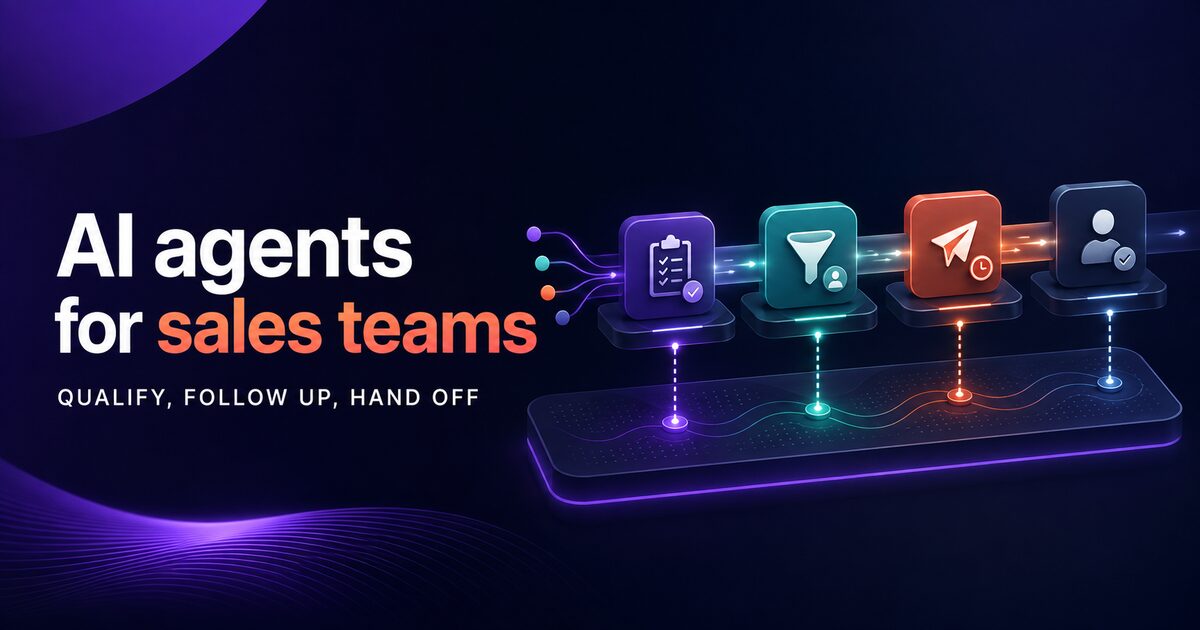
Sales teams spend a large share of their day on non-selling activities. Lead qualification, follow-up scheduling, data entry, and prospect research consume hours that could go toward closing deals. AI agents can reduce this administrative load and help teams respond more consistently, but any effect on conversion should be measured in a controlled pilot rather than assumed in advance.
This post covers how to build, deploy, and integrate AI agents into your sales stack, from initial lead scoring through CRM synchronization to ROI measurement.
The Sales Productivity Gap: Where AI Agents Add the Most Value
The core problem is straightforward: sales teams operate within competing pressures. They need to:
- Qualify leads consistently against company criteria
- Follow up on prospects across multiple channels
- Keep CRM data current and accurate
- Respond to inquiries quickly
- Maintain pipeline visibility
Traditional automation (templates, simple workflows, basic CRM rules) handles some of this. But it breaks down at decision points. When should a lead move to the next stage? Which prospects need follow-up first? Which questions require human judgment?
AI agents solve this by combining pattern matching, context awareness, and multi-step workflows. They classify inbound leads in real time, trigger follow-up sequences based on prospect behavior, and feed results back into your CRM without manual intervention.
The result: sales teams reclaim meaningful hours every week, while qualification time drops from days to hours.
Lead Qualification Automation: Pattern Matching and Scoring
Lead qualification is the most labor-intensive part of early-stage sales. Teams manually review forms, emails, and inbound data to decide whether a prospect fits the ICP. This process is repetitive and prone to inconsistency.
AI agents automate this by learning your qualification criteria and applying them at scale. Here is how to structure it:
Define Your Qualification Framework
Your agent needs explicit rules. These typically include:
- Company size (employee count, revenue range)
- Industry vertical
- Geographic region
- Current tooling (budget signals via tech stack)
- Use case fit (whether the prospect matches your primary use cases)
- Timeline indications (explicitly stated vs. exploratory)
Store these criteria in a structured format your agent can reference. The agent reads incoming lead data, compares it against each criterion, and outputs a confidence score.
Build the Scoring Workflow
A basic lead scoring agent follows this sequence:
- Extract key fields from the incoming lead (name, company, role, message).
- Cross-reference against your qualification rules.
- Assign a score (0-100) or segment (high/medium/low).
- If the lead is strong, flag it for immediate follow-up.
- If it is weak, log it for nurture or automated outreach.
This keeps high-intent leads from being buried in your CRM while preserving exploratory prospects for later campaigns.
Integrate Enrichment Data
Lead qualification improves when you add context. Your agent can call external APIs to enrich data:
- Company research tools to verify company size and industry
- Email verification services to ensure deliverability
- Intent signals (if you use third-party intent data)
This enrichment happens synchronously, improving your score without slowing response time.
Follow-up Workflows: Multi-touch Agent Campaigns
Once qualified, leads need follow-up. The sequence typically includes an initial contact, 2-3 follow-ups if no response, and conditional branching based on replies.
Traditionally, this is handled by sales development reps (SDRs) or manual sequence rules in your CRM. Both approaches are brittle. Manual sequences fire on a calendar, ignoring whether the prospect has already responded. SDRs are expensive to scale.
AI agents solve this by managing multi-touch workflows dynamically.
Designing the Sequence
A typical follow-up workflow includes:
- Day 0: Send personalized first message (email or channel, based on lead source).
- Day 3: If no response, send follow-up with social proof or use case study.
- Day 7: If no response, send case study or invite to demo.
- Day 14: If still no response, hand off to nurture campaign or mark as "revisit in 90 days."
- Conditional branches: If prospect replies with a question, route to sales team. If they decline, log the reason and move to nurture.
Your agent manages these timings, conditions, and routing.
Dynamic Personalization
Generic follow-ups have low open rates. Agents improve this by personalizing each message:
- Reference the prospect's company or industry
- Use their first name
- Tailor the use case to their role (founder, ops manager, engineer, etc.)
- Mention relevant features or case studies
This personalization is faster and more consistent than manual work. It also feeds learning: if prospects in a certain industry engage more with specific use cases, your agent learns to emphasize those in future outreach.
Handling Replies and Escalation
When a prospect replies, your agent needs to decide: does this need a human? Or can the agent handle it?
- Product questions: The agent can answer from your knowledge base or documentation.
- Demo requests: The agent can schedule directly into your calendar system.
- Budget or timeline questions: The agent can qualify further or escalate to sales.
This triage layer means your sales team only sees conversations that require judgment or negotiation.
Integration with CRM: Bringing Agent Data Into Systems of Record
Agents are valuable only if their output flows into your CRM. Otherwise, you end up with agent data in one system and sales data in another.
A complete integration includes:
- Lead scoring results update the lead record (score field, segment tag, last qualified date).
- Follow-up activity logs automatically create activity records (automated emails, AI-generated responses, escalations).
- Prospect replies and enrichment data sync back to the prospect record.
- Pipeline stage changes trigger downstream workflows (e.g., when an agent moves a lead to "qualified," your CRM sends a chat alert to the assigned sales rep).
Your integration should use CRM webhooks or APIs to ensure real-time bidirectional sync. Batch syncs (nightly or hourly) introduce lag and create manual work when data conflicts.
Choosing Your Integration Pattern
Most enterprises use one of three approaches:
- Native CRM agent: If your CRM offers AI agent features, build your agents directly in the CRM and automate from there.
- CRM API integration: Use your agent platform's webhook support to push data to CRM APIs on each agent completion.
- Middleware layer: Use a workflow automation platform to bridge your agent and CRM, translating data schemas as needed.
For most teams, pattern #2 (CRM API) offers the best balance of speed and control. Your agents are independent of your CRM vendor, so you can iterate on qualification logic without waiting for CRM updates.
ROI Measurement: Tracking Agent Impact on Sales Outcomes
Deploying agents is straightforward. Measuring their ROI requires discipline.
Set baselines before launch. Measure:
- Weekly meeting count per SDR (meetings booked by SDR, not by agent).
- Average time to first response (time from lead submission to initial contact).
- Lead-to-qualified conversion rate (percentage of raw leads that your qualification criteria mark as qualified).
- Qualified-to-meeting conversion rate (percentage of qualified leads that attend a meeting or call).
- Decision cycle length (time from qualification to close).
After 4-6 weeks of agent operation, compare these metrics to baseline:
- Time to first response drops sharply: agents respond instantly, where human first touches often take a day.
- Lead-to-qualified conversion rate improves if your agent is more consistent than manual qualification.
- Meetings per SDR increase because each SDR spends less time on manual admin and more time on closing.
- Decision cycle may compress if your agent is identifying and nurturing the right prospects.
Not every metric will improve. Your agent might reduce time-to-first-response but not increase meeting count (if your qualified leads are still weak). That is valuable data: it tells you to refine your qualification criteria.
Track revenue too, but be cautious. Sales cycles are long, and many factors influence revenue. Meaningful conversion improvements are realistic once response time and consistency improve, but attribute carefully: sales cycles are long and multi-causal.
Common Pitfalls
- Measuring throughput, not quality. An agent that touches 1,000 leads but qualifies only 10 strong ones is not valuable. Measure conversion, not volume.
- Neglecting to baseline. If you do not know your starting metrics, you cannot measure impact.
- Expecting revenue impact immediately. Sales cycles are long. Measure pipeline velocity and conversion rate first, then revenue over quarters.
What Verified Deployments Tell Us (and an Illustrative Sales Scenario)
The verified enterprise results behind Xagent's platform come from AI infrastructure deployments, and they set the economic baseline for what agents cost to run. A leading Asia-Pacific insurer running underwriting, policy OCR, claims, and service QA workloads on the same platform family reports roughly 30% lower AI cost, about 30% overall efficiency gain, and around 50% faster first response on retrieval-augmented workloads. Yum!, operating dual data centers and 50+ business scenarios, processes 1.52 million calls per day on this infrastructure.
For sales specifically, consider an illustrative scenario rather than a claimed customer result: a franchise sales team with long, multi-stakeholder decision cycles deploys an agent to route inbound leads, schedule demos, answer common FAQs, and escalate complex inquiries. The plausible outcome pattern, based on how these workflows decompose, is that time to first contact drops from days to hours and every lead gets a consistent first touch. Run the pilot on your own leads and measure; do not take any vendor's scenario (including this one) as a promised result.
Designing Your Qualification Criteria: A Technical Deep Dive
Building an effective agent depends on how well you define your qualification rules. Generic scoring models fail because they do not capture your specific business logic. Your qualification framework must reflect your actual go-to-market strategy, account acquisition cost targets, and revenue cycle.
Structuring Your Rules
Qualification frameworks typically use weighted scoring. You assign points to each criterion, then sum them to produce a final score. Consider an illustrative scenario: your company targets B2B SaaS companies with 50-500 employees in North America. You might structure your rules as:
- Company size: 50+ employees (required), 50-500 preferred (50 points), 501+ (20 points)
- Industry: SaaS, AI, fintech (50 points each), adjacent industries (25 points)
- Region: North America (50 points), EMEA (30 points), APAC (20 points)
- Use case match: Leads that mention automation, efficiency, or integration (50 points)
- Budget signals: Use case involving their existing martech or ops stack (30 points)
- Decision timeline: "ASAP," "budget approved," or "need by" language (30 points)
- De-scoring factors: Startup, competitor, or non-decision maker (negative points)
Your agent sums these points and thresholds them: 200+ is high-priority, 100-200 is medium, below 100 is nurture-only.
This structure is testable. As leads flow through your agent, you measure conversion at each score band. If leads scoring 100-120 convert at only 5% but you thought you wanted them, you adjust the weights or raise the threshold.
Handling Edge Cases
Real qualification is messier than linear scoring. Your agent needs to handle:
- Leads that do not fit your ICP but come from warm intros: Flag them for manual review rather than auto-reject.
- Leads from large companies but small teams or divisions: Evaluate the opportunity size of the specific division, not the parent company.
- Prospects who are not decision makers but have influence: Queue them for nurture; they become landing zones after deals with decision makers close.
- Geographic anomalies: A company outside your target region but in a high-growth market for your product might merit a different threshold.
Hard rules fail here. Your agent needs conditional logic: if (source = warm intro) then (+50 points) regardless of other factors. if (company division size > 50) then evaluate division ICP not parent company ICP. These conditionals should live in your agent configuration, not be hardcoded in a static model.
Testing and Iteration
Before deploying your agent to production, test your rules on historical leads. Take 100-200 past leads where you know the outcome (deal won, deal lost, still in pipeline, never engaged). Score them with your agent using the criteria you have defined. Then measure:
- Precision of the high-priority bucket: What percentage of high-priority leads actually converted or are in active deal flow?
- Recall of the high-priority bucket: Did your agent miss any leads that did convert?
- False positive rate: How many low-priority leads are you dropping that actually had potential?
If your precision is low (many high-priority leads do not convert), your criteria are too loose. If recall is low (many actual wins were scored low), your criteria miss key signals. If false positive rate is high, you are being too aggressive in de-scoring.
Adjust your weights and re-test. This cycle typically takes 2-3 iterations before you have a model that matches your actual sales outcomes.
Building Multi-Channel Follow-up Sequences
Following up across email, LinkedIn, SMS, and web channels in a coordinated way is complex when managed manually. Agents simplify this by orchestrating the sequence, choosing channels based on prospect data, and adapting based on responses.
Channel Selection Logic
Your agent should choose the follow-up channel based on what you know:
- If you have a verified email: Use email for the first 2-3 touches (highest open rate, lowest cost).
- If the prospect is active on LinkedIn: Parallel LinkedIn outreach on day 3-4 (increases visibility, different context).
- If you have a phone number and the prospect is recent (same-day lead): Consider SMS for time-sensitive offers.
- If prospect is high-value (large company or warm intro): Consider a combination of email, LinkedIn, and a calendar invite.
Generic sequences send the same message to everyone on the same schedule. Intelligent sequences adapt to channel availability and prospect profile.
Decay and Re-engagement Timing
Outreach decay is critical. If you follow up too often without response, you become noise. If you space out too much, you lose momentum.
A proven sequence for high-priority leads is:
- Day 0: Email (first contact)
- Day 2: Email (value add, e.g., relevant article or use case)
- Day 5: LinkedIn message (different channel, lower friction)
- Day 8: Email (case study specific to their industry)
- Day 12: LinkedIn (light touch, no expectation)
- Day 21: Re-engagement email ("bringing you back our radar")
- Day 45: Stop, move to monthly nurture
For medium-priority leads, extend the sequence by 50% (double the intervals). For low-priority leads that show engagement signals (unopened to opened, clicked to did not click), your agent should upgrade them to medium-priority and restart the full sequence.
This is where agents excel: they maintain hundreds of sequences in parallel, adapt based on engagement, and handle the bookkeeping that SDRs otherwise manage manually.
Feedback Loops and Learning
The best agents learn from results. If follow-ups sent on one weekday consistently outperform another in open rates, shift your sequences toward what the data shows.
Similarly, if prospects from a certain company department consistently engage on LinkedIn but not email, your agent should weight LinkedIn higher for similar prospects.
Document these patterns and feed them back into your configurations. Over time, your agent's sequences improve on their own.
Common Challenges and How to Overcome Them
Challenge 1: Agent Errors and False Classifications
Your agent will misclassify leads. Consider an illustrative scenario: you qualify inbound leads, and your agent marks a very large enterprise as "exploratory" because decision makers have not engaged. The reality is that large enterprises move slowly and need multiple touches before buying intent emerges clearly.
Solution: Build a feedback loop. Sales teams should flag high-confidence misclassifications. Your agent should re-train automatically or alert you when a pattern emerges (e.g., "large tech companies are consistently mis-scored as exploratory").
Challenge 2: Integration Delays and Data Staleness
If your agent processes leads but the CRM data does not update for 30 minutes or more, your sales team is working with stale information. You tell an SDR, "This lead is hot, follow up ASAP," but the SDR's CRM still shows it as medium-priority.
Solution: Use real-time webhooks and APIs. Your agent should update your CRM immediately on every classification decision. If your CRM does not support real-time APIs, batch updates every 5 minutes. Anything slower than that breaks your velocity.
Challenge 3: Agent Hallucination in Outreach Messages
If your agent generates follow-up messages, it might invent details about the prospect's company, use case, or needs. This is worse than generic outreach because it signals that you did not pay attention to them.
Solution: Have your agent retrieve facts from your knowledge base only. Personalization should reference actual data points (company name, role, past interaction) not inferred needs or capabilities. Structure generated messages as templates with variable insertion, not free-form generation.
Challenge 4: Compliance and Privacy
Sales automation can run afoul of email regulations (CAN-SPAM, GDPR), verification requirements, and company policy.
Solution: Build compliance into your agent from the start. Verify that every contact has opted in. Use only your company's email domain for outreach (not third-party SMTP). Log every message sent. If you operate in GDPR regions, ensure data processing agreements are in place with your agent platform. If you send SMS, use a verified sender ID.
Measuring Agent Adoption and Iteration
Deploying an agent is not a one-time launch. You need ongoing iteration based on performance.
Metrics Beyond Conversion Rate
Monitor:
- Agent accuracy: What percentage of leads does your agent correctly classify (relative to what a human would classify)? Track this monthly.
- Agent coverage: What percentage of inbound leads does your agent process vs. require manual review?
- Sales team feedback: Do your reps find the agent's classifications helpful or noisy? Use NPS-style surveys quarterly.
- Time saved per rep: How many hours per day does each rep spend on tasks the agent now handles?
Continuous Improvement Cycles
Set a cadence: review agent performance every 2 weeks for the first month, then monthly. In each review:
- Look at misclassifications from the past period.
- Identify patterns (all rejected, all finance roles, all from certain verticals).
- Adjust weights, thresholds, or rules.
- A/B test the change: run the new rules on a sample of past leads and compare outcomes to the old rules.
- Deploy the winning variant.
Over 3-6 months, this cycle compounds. Your agent improves continuously without requiring new models or retraining.
Scaling Beyond Lead Qualification
Once lead qualification is working, expand to other workflows. Common next steps:
- Customer support triage: Route support tickets to the right team based on issue type.
- Renewal opportunity identification: Flag accounts approaching renewal dates and identify expansion opportunities.
- Objection handling: For common objections, have your agent fetch relevant case studies or ROI data.
- Territory assignment: When a new lead comes in, your agent routes it to the right rep (by region, account size, expertise).
Each of these follows the same pattern: define rules, measure outcomes, iterate.
Getting Started: Building Your First Sales Agent
If you are ready to automate lead qualification and follow-ups, start with a focused scope:
- Define your qualification criteria (ICPs, company size, use case fit).
- Pick your first workflow (lead scoring or follow-up sequence, not both).
- Connect your agent to your CRM or email system.
- Run a 2-week pilot with a subset of inbound leads.
- Measure conversion rate and time-to-response. Iterate on your rules based on results.
- Expand to more workflows once the first one is proven.
You do not need to automate everything at once. Start small, measure, and scale.
Implementing Sales Agents with Xagent
Xagent provides a no-code platform to build and deploy AI agents for sales without custom engineering. With Xagent, you can:
- Create lead qualification agents that score incoming leads based on your criteria.
- Build multi-touch follow-up workflows that manage sequences across email, SMS, and web.
- Integrate directly with your CRM via native connectors or webhooks.
- Monitor agent performance in real time and iterate on rules based on results.
Xagent can use Xinference as the model-serving layer, giving teams control over model selection and deployment. The resulting cost depends on workload volume, utilization, hardware, and the external API used as the comparison baseline.