

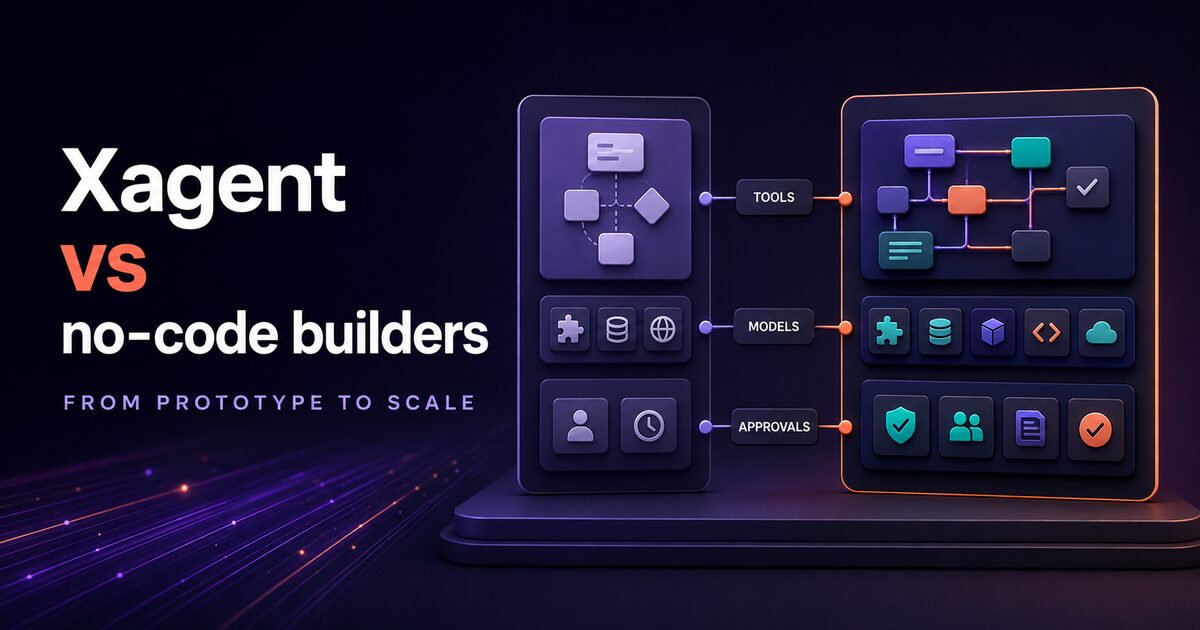
No-code AI agent platforms have moved from startup novelty to business necessity. Teams now expect to build, deploy, and scale autonomous agents without writing backend code. But the market offers distinct approaches: lightweight platforms for simple workflows, enterprise-grade suites on top of Power Platform, and integrated inference stacks. Choosing the right one depends on your complexity, governance, and cost model.
This guide walks you through how Lindy, Relevance AI, Microsoft Copilot Studio, and Xagent stack up. We focus on what matters to technical evaluators and enterprise buyers: tool ecosystem, inference control, customization depth, and total cost of ownership.
Lindy: lightweight agents for simple multi-step tasks
Lindy positions itself as the "easiest AI agent builder." The core offering: drag-and-drop workflows that trigger on events, call APIs, and chain LLM steps using your own API keys.
Strengths:
- Fastest onboarding. No infrastructure decisions. You define trigger, conditions, and actions in a visual interface.
- Transparent execution model. You see exactly which API calls fire, in what order.
- Works immediately if you already use common SaaS tools (Slack, Gmail, Airtable, Zapier).
Limitations:
- The integration library is comparatively small, and many connectors are shallow. Custom APIs typically require manual webhook setup.
- No inference control. You must bring your own LLM API key (OpenAI, Anthropic); Lindy acts as the orchestrator, not the inference layer.
- Limited autonomy. Agents work well for templated workflows: "listen for a Slack message, call this endpoint, post the result back." Conditional branching is possible but becomes hard to maintain beyond a few dozen rules.
- Pricing is typically per-run or seat-based, which scales awkwardly when an agent triggers thousands of times per month.
Right fit: Single-person workflows, small marketing teams automating email sequences, or bootstrapped startups that already have an LLM subscription.
Relevance AI: agent builder for business automation teams
Relevance AI targets mid-market operations teams. It combines a visual agent builder, a sizeable tool library, and a lightweight orchestration layer. The pitch: build customer service bots, lead qualification workflows, and data enrichment pipes without engineers.
Strengths:
- Broader tool library than Lindy, covering CRM, ERP, and communication channels.
- Multi-step workflows with conditional logic are more natural. You can define chains of LLM calls with intermediate decision points.
- Hosted platform. You don't manage infrastructure. Agents run reliably on Relevance's cloud.
Limitations:
- Still no native inference control. Like Lindy, you call external LLM APIs.
- Customization bottleneck: if your workflow falls outside the predefined tool set, you write custom code modules or webhook handlers. The friction starts low, then climbs fast.
- Enterprise features (audit logs, role-based access, quota enforcement) are limited. Built more for team-level automation than enterprise governance.
- Agent autonomy is still template-driven. The system excels at deterministic branching but struggles with truly autonomous reasoning.
Right fit: Mid-market operations teams with 10-50 automation workflows running monthly, teams that want to eliminate repetitive human tasks without hiring engineers, or companies building lightweight B2B2C automation.
Microsoft Copilot Studio: enterprise agents on Power Platform
Copilot Studio positions agents within Microsoft's broader Power Platform ecosystem. If your company is already on Azure, Dynamics 365, or Office 365, this is natural: one governance model, one tenant, one billing relationship.
Strengths:
- Power Platform integration. Copilot Studio agents sit alongside Power Automate (workflow automation) and Power Virtual Agents. You can mix low-code and traditional workflows in one orchestration layer.
- Unified enterprise governance. Authentication, quotas, audit logs, and role assignment use Azure AD and Power Platform admin center.
- Broad action connectors through the large Power Automate connector ecosystem.
- Familiar to Microsoft-first shops. Your Power BI and Dynamics developers already know the admin UI.
Limitations:
- Vendor dependency. You are deeply tied to Microsoft's roadmap and licensing. Porting agents to another platform later is painful.
- Inference is Microsoft-only (Copilot Pro, Azure OpenAI). You cannot bring your own model or choose a different LLM provider without custom code.
- Workflow complexity grows into spaghetti. Studio is designed for simpler agents. Building deeply autonomous reasoning workflows requires custom code intervention.
- Licensing complexity. Copilot Studio sits on top of Power Platform licensing; the cost model is opaque when scaled across many users and agents.
Right fit: Enterprises already standardized on Microsoft cloud, teams that need tight AD integration, or organizations that value "one vendor" simplicity over technical flexibility.
Xagent's differentiation: integrated inference and deep customization
Xagent is positioned differently from the prior three. Rather than being a connector-first platform, Xagent is an agent platform with its own inference backend. Agents run on Xinference infrastructure; you choose which models power them. You get deep customization: workflow descriptions, tool bindings via MCP (Model Context Protocol), and extensible SDK integration.
Core differentiation:
1. Owned inference layer. Xagent runs agents on Xinference, a sovereign inference platform. You choose from 300+ open and custom models, or bring your own. This eliminates dependency on closed-source APIs and gives you control over costs and governance.
2. 200+ native tools. Xagent ships with 200+ tools your agents can call natively, plus your own via MCP. Lindy and Relevance offer smaller connector libraries; Copilot Studio offers breadth through Power Automate but with higher complexity. Xagent's tools are designed for agent autonomy, not human-mediated integration.
3. Deep customization. You describe workflows in text (via Xagent's workflow description language) or code (SDK). The agent reasons about the problem, chooses tools, and executes without template constraints. This makes Xagent suitable for complex business logic: multi-turn reasoning, exception handling, and conditional tool selection.
4. Enterprise governance. Audit logs, user roles, quotas, and compliance deployment options. Xagent is built for financial services, healthcare, and regulated industries. For the controls to put in place before agents reach production, see our guide to enterprise AI agent governance.
Comparison table: head-to-head metrics
| Dimension | Lindy | Relevance AI | Copilot Studio | Xagent |
|---|---|---|---|---|
| Infrastructure | Hosted (Lindy cloud) | Hosted (Relevance cloud) | Azure / cloud | Hosted on Xinference or self-hosted |
| Tool count | Smaller, Zapier-based | Mid-size native library | Large Power Automate ecosystem | 200+ (native) + MCP extensible |
| Inference control | API-dependent (bring your own) | API-dependent (bring your own) | Microsoft only (Copilot Pro, Azure OpenAI) | Owned (choose from 300+ models) |
| Pricing model | Per-run or seat | Per-run or seat | Per-copilot or tenant | Sovereign AI bundle ($10K/month, 500 users, unlimited agents) or usage-based |
| Customization depth | Template-driven; webhooks for custom logic | Template + custom code modules | Power Automate workflow designer; custom code escalation | Text descriptions, SDK, tool binding via MCP |
| Enterprise features | Basic (team-level) | Basic audit, team management | AD integration, audit, quotas (Power Platform) | Audit logs, quotas, roles, compliance deployment |
| Integration model | Connector library (Zapier paradigm) | Connector + REST endpoints | Actions (Power Automate connectors) | Native SDK + tool bindings; MCP for extensions |
Tool ecosystem: comparison of available integrations
Let's break down what "200+ tools" means in practice.
Lindy. Primarily through Zapier. You get the most common workflows: email, CRM sync, Slack notifications, document generation. But the integrations are often "one direction": Lindy can fetch data from your CRM via Zapier, less often push complex state changes back. Custom APIs are possible but require setting up webhooks manually.
Relevance AI. Broader coverage. Native connectors to Salesforce, HubSpot, Monday.com, Stripe, and data warehouses. More bidirectional: Relevance agents can write back to your database or CRM, not just read. Still, the connectors are predefined. If you need to call a bespoke internal API, you define it as a REST endpoint and handle auth yourself.
Copilot Studio. Power Automate's connector ecosystem is massive. But breadth doesn't equal depth. Many connectors are lightweight wrappers. The real power comes when you write custom Power Automate flows and invoke them from Copilot Studio. You end up writing a lot of low-code workflow plumbing alongside the agent.
Xagent (200+ tools plus MCP). Xagent ships with 200+ native tools: CRM, accounting, data, communication, development tools. The difference: these tools are designed for agent autonomy, not manual triggering. An Xagent agent autonomously decides to call Salesforce, check inventory, and post a summary to Slack without a human stepping in. MCP (Model Context Protocol) lets you bind your own tools: APIs, internal services, domain-specific functions. This is powerful but requires engineering upfront.
Enterprise readiness: governance, audit, and scaling
As agents move from hobby projects to mission-critical workflows, governance becomes non-negotiable.
Audit and compliance:
- Lindy / Relevance AI: Basic logging. You can see which workflows executed, but detailed execution traces are limited.
- Copilot Studio: Power Platform's audit log is comprehensive (tied to Microsoft Purview / compliance). But governance is bound to Azure AD.
- Xagent: Full audit logs of agent execution, tool calls, and outcomes. Deployment in private cloud (e.g., Australia-hosted sovereign cloud) is supported for regulated industries.
User roles and quotas:
- Lindy / Relevance AI: Team-level access control. Some quota management, but not granular.
- Copilot Studio: Power Platform role-based access control (Power Platform admin roles). Quotas tied to licensing tiers.
- Xagent: Granular user roles (admin, developer, operator), per-user or per-agent quotas, and spend limits. Designed for large enterprises running 50+ concurrent agents.
Scaling:
- Lindy / Relevance AI: Suited to smaller agent fleets. At larger scale, execution latency and per-run cost become hard to predict.
- Copilot Studio: Scales well within Power Platform tenants (used at thousands of companies). But licensing complexity grows.
- Xagent: Designed for scale. The Sovereign AI bundle ($10K/month) includes 500 users and unlimited agents, so agent count never becomes a billing event.
When to use each: lightweight vs mission-critical agents
Use Lindy if:
- You are building one or two simple workflows for a small team.
- You do not want to manage infrastructure or make LLM choices.
- Your workflows fit the connector library (CRM, email, Slack, document generation).
- Your monthly agent run volume is small and per-run pricing stays cheap.
Use Relevance AI if:
- You are building 10–50 automations across an operations team.
- You need more bidirectional integrations than Lindy offers (write back to CRM or database).
- Your team is comfortable with a mid-market SaaS product (not enterprise-hardened).
- You want to avoid vendor lock-in to Microsoft or AWS.
Use Copilot Studio if:
- Your company is standardized on Microsoft cloud (Office 365, Azure, Dynamics 365).
- You need tight Azure AD integration and unified governance with Power Platform.
- Your agents are mostly augmenting human workers in Teams or SharePoint, not running autonomously at scale.
- You value consolidated licensing (one Microsoft bill) over technical flexibility.
Use Xagent if:
- You are building mission-critical agents for complex business logic: multi-turn reasoning, exception handling, or autonomous decision-making.
- You need to choose your own LLM or run open-weight models for cost or sovereignty.
- Your organization requires audit logs, enforceable quotas, and compliance deployment.
- You are running 100+ agents concurrently with millions of tasks per month.
- You need tight integration with internal APIs and domain-specific tools via MCP.
Cost dynamics: buy what you need
Pricing philosophies differ fundamentally.
Lindy and Relevance AI charge by the run or by the seat. For low-frequency workflows this is cheap. But as you scale (thousands of agent runs), costs become predictable but rigid. You pay per execution, whether that execution took 1 second or 10 seconds.
Copilot Studio charges per copilot (agent) and per user license. For small teams with a handful of agents, licensing is simple. But as you scale, licensing complexity emerges. Are you paying per interaction, per user, or per tenant?
Xagent's Sovereign AI bundle offers a different model: $10K per month for 500 users and unlimited agents. If you are running 100+ agents with thousands of daily tasks, this bundle is economical. You pay a fixed fee; execution volume is unlimited. This inverts the incentive: you want to deploy more agents to spread the cost across more workflows and users. The bundle also includes dedicated private LLM infrastructure on Xinference.
For cost-conscious evaluators, start with your expected agent execution volume per month. Model it against the current per-run or credit pricing from each shortlisted platform, then include model usage, integration fees, support, and operating effort. The breakeven point depends on workflow complexity and should be calculated from a pilot rather than assumed from a generic run count.
The verdict: honest trade-offs
Lindy and Relevance AI are genuinely excellent for small teams automating simple, recurring tasks. They lower the barrier to entry dramatically. If your team is five people and you need three automations running weekly, pick Lindy. You will be up and running faster than with any other platform.
Copilot Studio is the right choice if your organization is already Microsoft-first and you want centralized governance. Accept the vendor dependency and the governance overhead (Power Platform admin center, Azure AD). It works well.
Xagent is built for teams running dozens or hundreds of agents with complex logic. You get inference control, deep customization, and governance. You accept more upfront engineering: defining workflows as descriptions or code, binding tools, and reasoning about state. But once set up, Xagent agents are autonomous, auditable, and truly scalable.
The honest one-line answer: Lindy and Relevance AI are lightweight no-code agents for simple tasks. Xagent is enterprise-grade with integrated inference, more tools, and deeper autonomy for complex business logic. Choose based on your team size, agent complexity, and scale.
Take the next step
Evaluating agents means running them on real workflows. Start small. Pick one high-friction task your team repeats weekly. Prototype it on two platforms. Measure: How long to build? How many tool calls to configure? How do costs compare at 1,000 runs per month? 10,000 runs?
If your team is exploring agents seriously, Xagent offers a free agent builder where you can define, test, and deploy your first agent without licensing or infrastructure decisions. Connect your own tools, choose your model, and see how autonomous agents fit your business.