

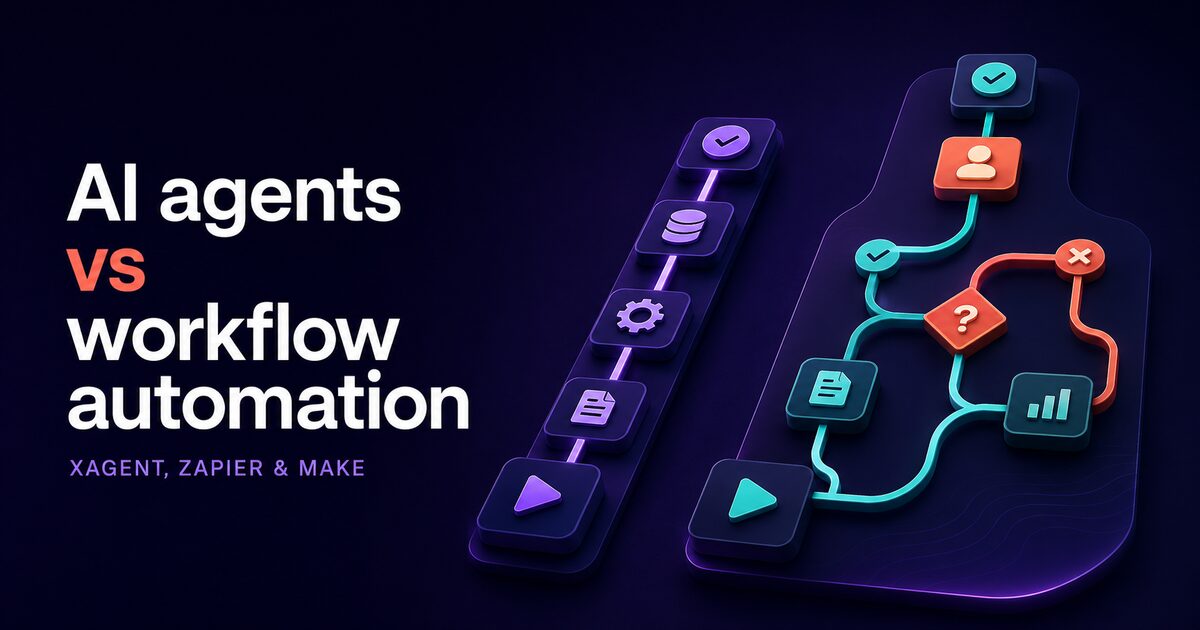
If you're evaluating automation for your business, you've likely encountered Zapier or Make. Both are powerful platforms for connecting apps and running simple rule-based workflows at scale. But there's a category shift happening in enterprise automation: instead of automating predefined sequences, forward-thinking organizations are now building autonomous agents that reason through messy business logic and adapt without rigid conditional trees.
This comparison guide walks through the core differences, helping you understand when each platform succeeds and when they fail. Whether you're a technical evaluator, operations leader, or enterprise buyer exploring automation solutions, understanding when autonomous reasoning beats rule-based workflow automation is crucial for your digital transformation strategy.
The question isn't which platform is objectively better. It's which platform solves your actual problem. Let's break that down.
What Zapier and Make do well: app connectivity at scale
Let's start with what Zapier and Make do exceptionally well. Zapier connects over 5,000 integrations. Make offers 4,000+. These numbers matter if your business needs to link your CRM to your spreadsheet to your billing tool to your customer support system and trigger notifications when specific events occur. Their real strength is breadth: nearly any business SaaS you use has a pre-built connector. If your company uses HubSpot, Google Sheets, Slack, Salesforce, and Stripe, both platforms natively support all of them with minimal configuration.
Both use visual workflow builders. You click through an intuitive interface, define precisely when something should happen (the trigger), select what should happen next (the actions), and test the workflow end-to-end. Most teams can build their first automation in 30 minutes without any coding knowledge. No infrastructure setup. No deployment pipeline. The learning curve is shallow, and the feedback loop is immediate. Add a new Zap. Test it. Deploy it. Done.
This is proven technology at global scale. Millions of businesses run on Zapier and Make today. The reliability statistics are excellent, and the community support is extensive. If you need to automate app-to-app data flows reliably, these platforms are mature, stable, and well-understood by enterprises of all sizes.
The visual approach also means non-technical team members can build automations themselves. Marketing can set up workflows. Sales operations can create campaigns. Customer service can automate ticketing. This democratization of automation is one of Zapier and Make's greatest strengths.
Their limits: rigid workflows, task-count overhead, and no autonomous reasoning
Here's where these platforms hit a hard ceiling.
First, they expect workflows to follow fixed paths. If you need to run complex logic: evaluate multiple conditions dynamically, call external APIs to fetch context, compare results, and then decide between five different next steps based on that context, you build nested if-then-else chains. The visual builder gets cluttered and difficult to understand. Maintenance becomes painful and error-prone. Changing the logic requires rebuilding and retesting the entire workflow. Teams often abandon complex automations because they're too difficult to maintain as business requirements evolve.
Consider a customer onboarding workflow. Simple version: customer signs up, send welcome email. Complex version: customer signs up, check their company size, industry, and location, query your product database for relevant features, query your customer database for similar companies, personalize welcome sequence based on industry best practices, and route to appropriate success manager. That's a dozen decision branches. Building it in Zapier requires extensive configuration. Maintaining it becomes a nightmare.
Second, they charge per workflow and per execution. Zapier bills by the number of Zaps you create and your monthly task volume. Make charges by scenarios and operation count. If you create 100 Zaps, you're paying for 100. If each Zap executes 1,000 times a month, you're paying for millions of operations. For enterprises with high-volume automation needs, the meter runs constantly. You're paying for volume, not for capability or intelligence. Cost grows directly with scale, which is fine until it's not.
An enterprise running many high-volume workflows can watch per-task billing compound into a major annual line item. That's not uncommon. At that scale, the economics change.
Third, and most important: they cannot reason. They execute branches. They follow rules. They check conditions and take actions, but they have no underlying model or reasoning capability. They cannot read a complex customer support inquiry, understand the problem context and customer history, retrieve relevant company policies from a knowledge base, match the request to a category, evaluate urgency and complexity dynamically, and then decide whether to escalate to a specialist, respond with a solution, or gather more information. They execute decision trees, not reason through ambiguity.
This limitation becomes stark when business logic is messy, and most real business processes are messy. They depend on context, customer history, relationships, and judgment calls that don't fit neatly into predetermined if-then branches. Humans handle ambiguity naturally. Zapier and Make handle branches.
Why AI agents solve a different problem: autonomous decision-making
An AI agent is fundamentally different from rule-based workflow automation. It's a software entity that autonomously perceives a goal or task, calls tools to gather information and context, evaluates results dynamically, and decides what to do next. Each step is reasoned through, not triggered by a rigid rule. The agent can adapt its approach in real time based on what it learns during execution.
Consider an illustrative scenario: a customer support email arrives in your inbox. A Zapier automation can check if the subject line contains keywords like "urgent" or "escalate," then route it to a specific inbox or Slack channel. Linear. Rule-based. The same every time.
An AI agent approaches the identical task completely differently. The agent reads the customer support email, automatically summarizes the core problem, queries your CRM for customer history and past issues, checks your knowledge base for similar problems and known solutions, evaluates the urgency based on content analysis and customer value, assesses complexity and risk, and then decides autonomously to either respond with a solution from the knowledge base, escalate to a human specialist, or gather more information from the customer before acting. The agent adapts. It compares options. It reasons through ambiguity.
The difference is not incremental. It's categorical. Zapier and Make are excellent for "when X happens, then Y, then Z." Agents are built for "understand the problem, reason through possible solutions, select the best option, act, and learn."
This capability matters enormously in business contexts where uniform rules don't exist. Healthcare claims processing depends on individual patient history. Financial risk assessment depends on market conditions. Sales qualification depends on prospect timeline and budget. Warehouse inventory decisions depend on demand forecasts. All of these require reasoning.
Xagent's 200+ tools and extensibility: when app counts are enough
Xagent runs 200+ tools that your agents can call natively. You can also extend with your own custom tools via MCP, which means you're never blocked by missing integrations.
This is fewer tools than Zapier's 5,000. That's intentional, not a limitation. Xagent is designed for solving hard business logic problems, not connecting every SaaS tool in the world. The 200+ cover the platforms most enterprises depend on: CRM systems, ERP platforms, databases, APIs, email services, document processing, knowledge systems, data warehouses, and business intelligence tools. If a tool isn't pre-built, you can add it via MCP extension.
The real question isn't tool count in isolation. The real question is tool utility and coverage for your business. A spreadsheet listing 5,000 available tools is meaningless if you only use 15 of them. What matters is whether the tools you actually need are available and well-integrated. Xagent covers the 90 percent of enterprise automation use cases. For the edge cases and proprietary systems, extensibility fills the gap.
Tool breadth scales with your actual needs, not with marketing claims or feature parity. Most teams don't need every integration. They need the integrations that solve their specific business problems. After you solve those core problems, extensibility handles the rest.
Plain-language workflow building: no visual builders required
Zapier and Make require you to click through a builder. You select tools from dropdown menus, map fields manually, test steps individually, and debug through the UI. It's intuitive but tedious for complex workflows.
Xagent uses a different approach: you describe your workflow in plain English.
You write: "If a sales lead arrives in our system, check our CRM for existing contacts with this company, evaluate the lead score and company fit against our target profile, route high-priority leads to the sales team immediately, send medium-priority leads to a nurture sequence, and log all activity with lead source."
The agent reads that description, breaks it into subtasks, calls the right tools in the right order, evaluates results intelligently, and adapts as conditions change. No clicking. No dragging connectors. No field mappings. No rebuilding when logic shifts. Update the instructions. The agent learns and adapts.
For technical teams, this approach is often faster and clearer than visual builders. For non-technical operations staff, it removes interface friction entirely. You're describing a business process to an AI system analyst, not wrestling with GUI complexity and field mappings.
Plain language also changes maintenance dramatically. Instead of updating a visual graph and retesting every branch, you update instructions in plain English. The agent adapts to the new instructions on the next run. Iteration is faster.
Autonomous agents for multi-step business logic
This is where agents truly shine: decisions that depend on multiple information sources, customer context, and human-like judgment.
Examples span industries: claims processing (evaluating medical histories, policy terms, coverage limits, and similar cases), inventory reordering (considering current stock, demand patterns, supplier lead times, budget constraints, and historical data), candidate screening (matching CVs to job requirements, assessing cultural fit, checking employment verification, and ranking by multiple criteria), customer issue triage (understanding the problem, assessing urgency, checking for similar issues, relevant policies, and routing), and financial risk assessment (evaluating customer creditworthiness, market conditions, transaction history, and industry factors).
All of these tasks traditionally required human judgment or built brittle automation that broke frequently. Agents handle them systematically.
A simple rule-based automation might check "is this order over $10K?" and route it to management for approval. That's it. An agent takes a completely different approach. It reads the order, understands the customer history and payment reliability, cross-references the customer's approved spending limits and budget authority levels, checks inventory for the requested items and lead time, evaluates risk based on market conditions and the customer's industry sector, reviews similar orders from this customer and their outcomes, and then decides whether to approve automatically, escalate to management for approval, or deny based on policy.
The agent makes a judgment call. It reasons. It adapts. This is the work that Zapier and Make cannot do. Their strength remains the simple, repetitive, rule-based workflow. Agent strength is the complex judgment call that depends on context and reasoning.
Setup time and learning curve: 15 minutes to first agent
Zapier and Make both enable you to spin up a basic workflow in approximately 30 minutes. They have a learning curve mainly around their specific visual language, connector quirks, field mapping conventions, and trigger/action configuration. Most users can learn the basics in a few hours of experimentation.
Xagent starts faster on setup but has a different learning curve. Describe your workflow in plain English. The agent deploys in approximately 15 minutes. The learning curve is steeper on the "how do I write prompts that trigger consistent behavior" side, but the interface itself is natural language. If you can write clear instructions to another person, you can write prompts for agents. That's a lower barrier for most teams than mastering a visual builder and its conventions.
For operations teams without technical backgrounds, this is often a practical wash: they're non-technical either way. For engineering teams, plain language is typically faster and less error-prone than clicking through a builder.
Comparison table: feature and capability rundown
| Dimension | Zapier | Make | Xagent |
|---|---|---|---|
| Agent autonomy | Rule-based triggers | Rule-based triggers | Reasoning-driven autonomous agents |
| Tool integrations | 5,000+ | 4,000+ | 200+, extensible via MCP |
| Setup time | ~30 minutes | ~30 minutes | ~15 minutes to first agent |
| Learning curve | Low (visual) | Low (visual) | Lower (plain English) |
| Cost model | Per-Zap + task usage | Per-scenario + operations | $10K/month bundle or usage-based |
| Flexibility | Deep app integrations, shallow logic | Deep app integrations, shallow logic | Fewer apps, deep autonomous reasoning |
| Pricing transparency | Complex tiers | Complex tiers | Bundle-based, predictable |
Cost comparison: per-task vs bundled platform
Zapier and Make charge per workflow and per execution. If you create 100 Zaps, you're paying for 100. If each Zap executes 1,000 times a month, you're paying based on that volume. The billing is granular and direct: you pay for what you use. This is attractive for small teams with modest automation needs. One Zap? $10-20/month. Fifty Zaps? $500+/month.
Xagent uses bundled platform pricing. The Sovereign AI offer runs at $10K a month for 500 users, unlimited AI agents, a dedicated private LLM, and hosting in Australia. For many enterprises running dozens or hundreds of workflows with millions of monthly executions, this is cheaper than per-task Zapier or Make spend. You're not charged per execution. You're not charged per agent. You get a fixed platform with unlimited agent capacity and all features included.
For small teams with a few simple workflows, Zapier or Make is less expensive. Pay-as-you-go pricing makes sense at small scale. For medium to large enterprises with mission-critical automation and high execution volumes, predictable bundled pricing reduces cost uncertainty and aligns costs with business value rather than task throughput.
The trade-off is strategic: Xagent assumes you're solving harder problems with more sophisticated logic and need platform flexibility and role-based access controls. Zapier and Make charge by volume because their workflows are lightweight. Neither pricing model is inherently "expensive." Zapier is optimal for variable, small-scale use. Xagent is optimal for deployed, mission-critical, high-scale automation. Pick the model that aligns with your workload, growth trajectory, and business value.
Use cases: when to use Zapier, when to use Xagent, when to use both
Use Zapier or Make if you need to:
- Connect 5,000+ SaaS tools with simple triggers and actions.
- Run lightweight, predefined workflows that rarely change.
- Automate simple app-to-app data flows without custom logic or reasoning.
- Pay only for what you use without significant platform overhead.
- Rely on a mature ecosystem with extensive community resources and templates.
- Enable non-technical team members to build automations independently.
Use Xagent if you need to:
- Build autonomous agents that reason through complex business logic and context.
- Make intelligent decisions based on multiple information sources and dynamic business conditions.
- Iterate quickly on mission-critical workflows without rebuilding connectors every time logic changes.
- Operate at enterprise scale with predictable, bundled platform pricing.
- Minimize total cost of ownership on high-volume automation (100K+ executions/month).
- Reduce maintenance burden and scalability complexity through natural-language workflow updates.
- Give your operations team sophisticated automation capabilities without extensive training.
Use both if you have a hybrid scenario, which is increasingly common in mature organizations. Zapier and Make handle your simple, app-to-app connectors and lightweight integrations. Xagent powers your intelligent agents that reason through complex decisions and then call other tools to act. Zapier feeds data. Xagent reasons about data and makes decisions. They complement each other perfectly.
This hybrid pattern can work well: use rule-based automation for predictable integration steps and an agent where context-sensitive decisions are genuinely needed. Validate how state, permissions, errors, and audit records pass between the two layers.
The honest difference
Zapier and Make excel at automation. Xagent excels at intelligence. They're competing in different categories, not the same one.
If you need to connect apps and run predictable sequences reliably and cost-effectively, Zapier and Make are the right choice. They're mature, stable, well-understood by enterprises at every scale, and battle-tested by millions of users globally. The learning curve is gentle, the community is large, and the support ecosystem is robust.
If you need workflows that reason, adapt, and make complex decisions dynamically without a rigid script, Xagent is the platform purpose-built for that work. The reasoning and intelligence come first. Connectivity follows. Business logic comes first. Integrations follow.
The good news: you probably don't have to choose. Most enterprises need both. Zapier handles the connectivity layer and your simple automations. Xagent builds the intelligence layer on top, making complex decisions that depend on reasoning, not rules.