Distributed LLM inference has two shapes. If a model is too big for one GPU, shard it, usually with tensor parallelism inside a machine and pipeline parallelism across machines. If the model fits, you probably need no sharding: run it on one GPU, or run whole copies for more throughput. In our view, mixed hardware usually suits copies.

Do you need to split a model across GPUs at all?
Often you do not. The vLLM docs say distributed inference is probably unnecessary if the model fits on a single GPU (as of October 2026). Run it on that GPU. For several small models, such as an embedding model and a reranker, see how to run a self-hosted embedding model and reranker on one GPU.
Ollama follows the same logic. If a model fits entirely on any single GPU, Ollama loads it on that GPU (as of October 2026), which its FAQ says typically gives the best performance. The model spreads across all available GPUs when it does not fit on one.
"Fits" includes the KV cache for your context length and concurrency, not only the weights. Check the model size, the GPUs and memory in each machine, and whether the machines share a fast local network. For sizing one machine, see our post on self-hosted LLM hardware requirements.
The vLLM docs give a test for adding hardware. If the KV cache size and maximum concurrency vLLM logs at startup fall below your throughput needs, add more GPUs or nodes.
If the model fits on one GPU or a hosted API meets your needs, a cluster only adds machines to look after. The table maps common setups to an approach.
| Setup | Approach | Example tool | Main trade-off |
|---|---|---|---|
| Model fits on one GPU | Run it on that GPU | vLLM, Ollama | Nothing to split or coordinate |
| One machine, several NVIDIA GPUs | Tensor parallelism across the GPUs | vLLM tensor_parallel_size | Without NVLink (e.g. L40S), vLLM suggests pipeline parallelism |
| Several NVIDIA machines with the same software environment | Tensor parallelism per node, pipeline parallelism across nodes | vLLM with Ray | Efficient tensor parallelism needs fast internode links, preferably InfiniBand |
| Mixed NVIDIA GPUs, Apple silicon and CPUs | One server per machine, or pooled memory over RPC | llama.cpp RPC | RPC is a proof of concept per its README |
| Many small models on many machines | Each model on one machine, behind a gateway | llama-server router mode or Ollama per machine | A machine failure removes that model unless a second copy runs elsewhere |
How does tensor and pipeline parallelism work across GPUs and machines?
Tensor parallelism shards each model layer across multiple GPUs within a node. Pipeline parallelism distributes contiguous sections of layers across multiple nodes. That is how vLLM's distributed inference post (17 February 2025) describes the two.
The vLLM docs turn this into a short procedure.
- If the model fits on one GPU, stop. Run it there.
- If the model is too large for one GPU but fits on one node, use tensor parallelism. Set
tensor_parallel_sizeto the number of GPUs, for example 4 on a node with 4 GPUs. - If the model is too large for one node, add pipeline parallelism. Set
tensor_parallel_sizeto the GPUs per node andpipeline_parallel_sizeto the number of nodes. The docs give 8 and 2 for 2 nodes with 8 GPUs each. - Give every node an identical execution environment, including the model path and Python packages. The docs recommend container images. Ray is the default runtime for multi-node inference.
- Run with
NCCL_DEBUG=TRACEand read the logs. If you find "[send] via NET/Socket", NCCL used a raw TCP socket, which the docs call not efficient for cross-node tensor parallelism.
The network decides how well this works. The vLLM docs say efficient tensor parallelism requires fast internode communication, preferably through high-speed adapters such as InfiniBand. They also say pipeline parallelism gives higher throughput and lower communication overhead when a node's GPUs lack NVLink, such as the L40S.
The vLLM docs add a warning. Traffic between nodes is unencrypted, and an attacker who reaches the network could exploit the data format to run arbitrary code. The docs tell you to set VLLM_HOST_IP to an address on a private network segment.
Can you run one model on mixed GPUs and Macs?
Yes, with limits. The llama.cpp RPC backend lets one host use the devices of other hosts (as of October 2026), and its README shows CUDA, Metal and CPU hosts side by side.
You start an RPC server on each remote machine. On the main host you pass the --rpc option with the host and port of each server. By default, llama.cpp then spreads the model weights and the KV cache across all devices, local and remote, in proportion to each device's available memory. The --tensor-split option overrides that.
A local cache on the RPC server can speed up model loading by keeping large tensors off the network. The backend can also use RDMA instead of TCP for lower latency. It works on Linux RoCEv2 cards, or over Thunderbolt 5 on Apple silicon Macs (macOS 26.2 or later).
The README carries a security warning. The RPC backend is at a proof-of-concept stage, and the README calls it "fragile and insecure". It says never to run the RPC server on an open network or in a sensitive environment.
On Apple silicon, MLX provides distributed communication that can share the cost of inference across physical machines (as of October 2026). Its ring backend runs over TCP sockets and is always available. Its JACCL backend uses RDMA over Thunderbolt and is necessary for things like tensor parallelism. MLX is the communication layer, so you still need code or a tool built on it.
Every approach here depends on the network between machines. Pooling memory lets a large model load. If one machine can hold the model, run it there.
How do you put several machines behind one API?
In our view, the simplest pattern is one inference server per machine or hardware family. Put a gateway or reverse proxy in front that maps each model name to the machine holding it. Clients then use one base URL.
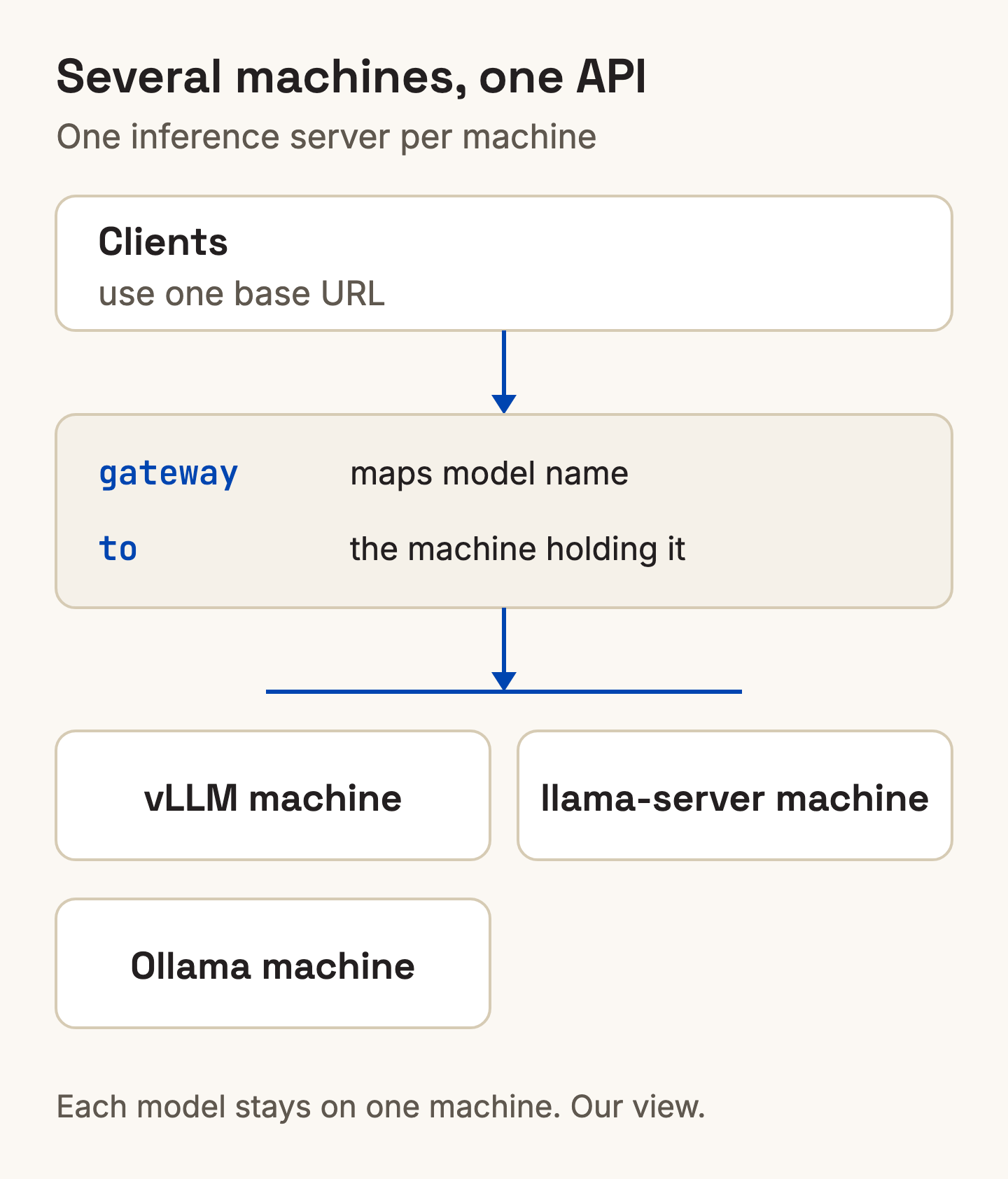
This keeps every model on a single machine, so no per-token traffic moves between machines. The cost is that each model must fit on one machine. If you run several copies of one model, the gateway also needs to spread requests across them.
The gateway can only present one API if the back ends accept the same requests. If every back end offers an OpenAI-compatible API, the gateway can present one API.
Inside one machine, you can also let the engine manage models. The llama.cpp server has a router mode (as of October 2026) with an API for dynamically loading and unloading models. Its main process forwards each request to the right model instance.
How do you see which model is loaded on which machine?
Ask each engine what it has loaded, then collect the answers in one place. Each engine has its own endpoint (as of October 2026).
- Ollama:
ollama psshows a Processor column with "100% GPU", "100% CPU" or a split such as "48%/52% CPU/GPU".GET /api/psreturns the running models withsize_vram(API docs). - llama-server in router mode: call
GET /models. The model metadata includes a status field, for example "loaded". - vLLM and llama-server: both expose a Prometheus-compatible
GET /metricsendpoint. Start llama-server with--metricsto turn it on. vLLM's metrics includevllm:num_requests_runningandvllm:kv_cache_usage_perc, the fraction of used KV cache blocks.
One Prometheus server scraping every vLLM and llama-server machine gives one view of load. For Ollama machines, poll /api/ps.
Ollama keeps models in memory for 5 minutes by default before unloading them. A model missing from ollama ps may simply have been unloaded.
Where Xinference fits
Xinference is an AI inference platform for enterprise teams. You choose the serving engine per model when you deploy it: vLLM, SGLang, llama.cpp, Transformers or MLX. Changing engine means redeploying. It runs in your own environment, whether that is your VPC, your data centre or your servers.
If you would rather not run machines at all, the Model API serves DeepSeek V4.1 Flash and GLM-5.3, hosted in Australia. Get API access. Don't see the model you need? Talk to us about adding it.
Questions
Can you run an LLM across multiple GPUs?
Yes. The vLLM docs say to use tensor parallelism if the model fits on one node but not one GPU. Across nodes, combine it with pipeline parallelism. If the model fits on one GPU, you probably do not need either.
What is tensor parallelism vs pipeline parallelism?
Tensor parallelism shards each model layer across multiple GPUs within a node. Pipeline parallelism distributes contiguous sections of layers across multiple nodes, per vLLM's distributed inference post.
Can Ollama use multiple GPUs?
Yes. Per the Ollama FAQ, a model that fits on one GPU loads on that GPU. If it does not fit entirely, Ollama spreads it across all available GPUs.
Does llama.cpp support multiple machines?
Yes, through its RPC backend, which exposes the devices of a remote host. The README calls it a proof of concept that is "fragile and insecure", and says never to run it on an open network or in a sensitive environment.