Yes, one GPU can serve a self-hosted embedding model and a reranker together, if both fit in its memory with headroom. Weights alone for Qwen3-Embedding-0.6B and Qwen3-Reranker-0.6B are about 1.2 GB each in BF16. Run two servers, or one server that loads both.

Can one GPU serve an embedding model and a reranker at once?
Yes, if both models fit in the card's memory with room to work. Hugging Face lists Qwen3-Embedding-0.6B and Qwen3-Reranker-0.6B at about 596 million parameters each, stored in BF16. BF16 uses 2 bytes per parameter, so the weights alone come to about 1.2 GB each, or about 2.4 GB for the pair.
These are size examples. Check each server's supported-model list for the reranker you choose.
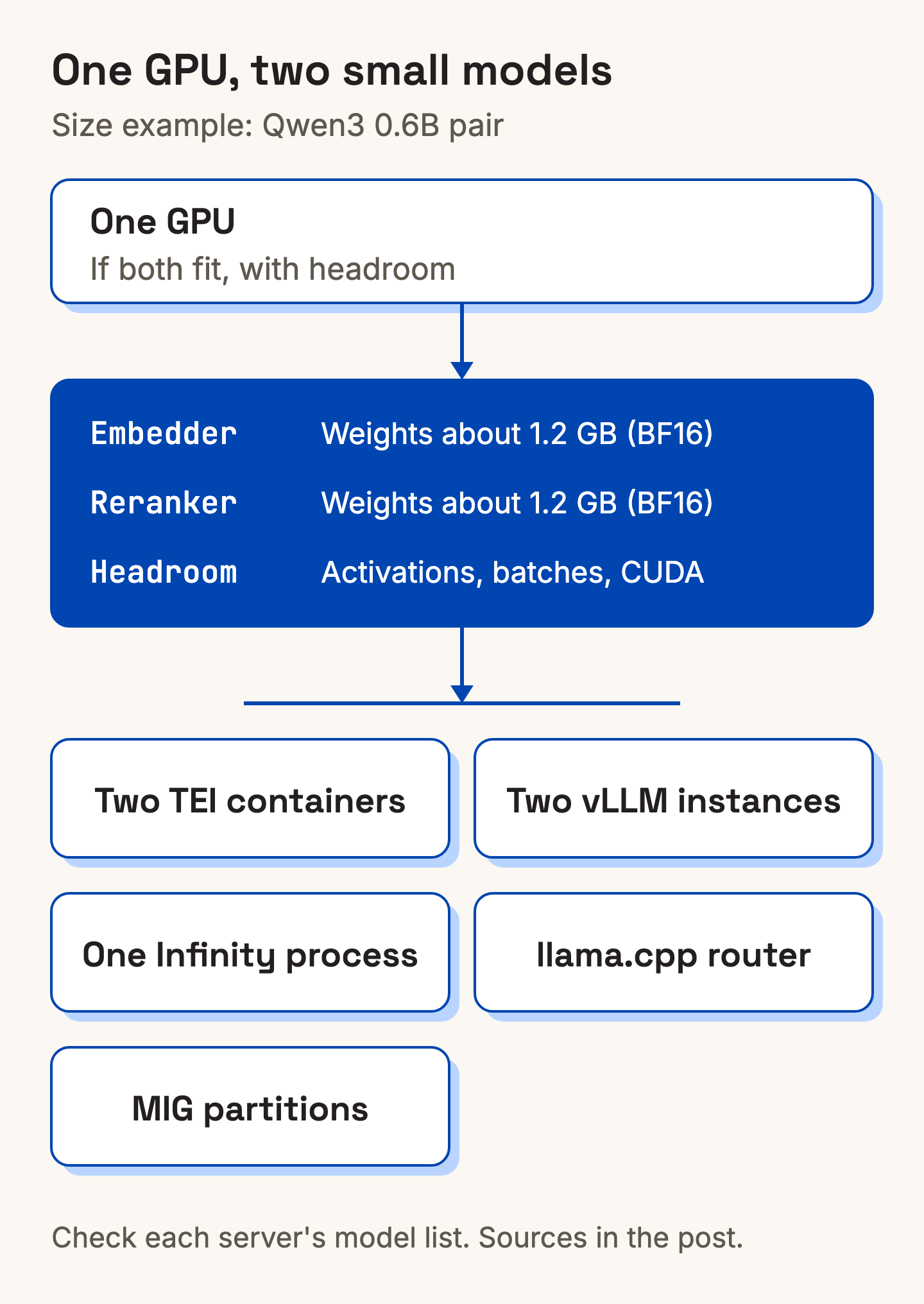
In our view, weights are only part of the memory bill. Activations, batch size, sequence length and the CUDA context add more, so leave headroom.
We also think a card that holds one small model each is mostly idle between requests, which is why sharing it pays off. Other small models get the same treatment further down.
What is the difference between an embedding model and a reranker?
An embedding model turns text into numbers so you can measure how related two pieces of text are. OpenAI's text-embedding-3-small page describes embeddings in these terms and says they suit search and clustering, among other tasks.
A reranker works differently. The Text Embeddings Inference README describes re-rankers as sequence classification cross-encoder models. A single class scores the similarity between a query and a text.
The two also put different loads on the card, as we see it. The embedding model runs on every document at indexing time and on every query. The reranker runs only on the shortlist the search returns, but it scores each query and document pair in it. Per query, that can cost more than the embedding step.
Which ways can you run both on one GPU?
We count five practical ways. As of November 2026, the docs of each tool show the following.
| Option | How the two models share the card | Good fit (our view) | Watch out for |
|---|---|---|---|
| Two TEI containers | Each server is started with one --model-id, so two models usually means two containers | One plain server per model | Check that your reranker's architecture is in TEI's supported list |
| Two vLLM instances | Each instance gets its own --gpu-memory-utilization share, for example 0.5 each | Teams already running vLLM | The default is 0.92, so set the value on both instances |
| One Infinity process | Repeated --model-id flags load several models in one process | Fewer processes to look after | v3 needs SM80 (Ampere) or newer for CUDA and has a custom source-available licence. v2 (Python, MIT) also takes repeated --model-id |
| llama.cpp router mode | One router loads and unloads models and forwards each request to the right model instance | Several small models with uneven use | Reranking needs a reranker model and --reranking (or --embedding --pooling rank) |
| NVIDIA MIG partitions | The GPU is split into separate GPU instances, up to seven depending on the card | Fixed slices per model | Only GPUs on NVIDIA's list, such as A100, H100 and some RTX PRO Blackwell cards |
Two TEI containers is the plainest setup, to our mind. The README usage line shows one model per server.
text-embeddings-router --model-id <MODEL_ID>The TEI README also shows a /rerank endpoint for a reranker model, and lists CPU images as well as GPU ones.
With vLLM, the engine arguments docs say --gpu-memory-utilization is a per-instance limit. They give the example of two instances on one GPU at 0.5 each. The pooling models docs list an embeddings API at /v1/embeddings and a Cohere-style rerank API at /rerank.
Infinity takes the one-process approach. Its v3 CLI docs show a reranker and an encoder started in one command with repeated --model-id flags.
The Infinity README also lists reranking through /rerank. Its Python packages keep the MIT licence.
In llama.cpp, --embedding restricts a server to an embedding model, and --reranking enables the rerank endpoint. Router mode starts when you launch llama-server without a model.
For MIG, the supported GPUs list starts at the Ampere generation. L40S and consumer GeForce cards are not in its table.
For most teams, we would work through this order.
- If your card is on NVIDIA's MIG list and you want fixed slices, use MIG.
- If you already run vLLM, start two instances with a memory share each.
- If you want one endpoint for several models, try Infinity (one process) or llama.cpp router mode when use is uneven.
- If you want one plain server per model, use two TEI containers.
- Measure on your own queries, then adjust vLLM's memory shares or your batch sizes.
For a framework to pick a serving stack, see our post on how to choose an LLM inference stack. If you have the opposite problem, one model across many GPUs, read how to serve LLMs across multiple GPUs.
What keeps several small models loaded, and what happens on a cold start?
Ollama and llama.cpp router mode both keep a limited set of models loaded and unload idle ones to make room. In our view, a model that has been unloaded then has to load again before it answers.
A common setup, in our view, is an embedder, a reranker and a small extraction model on one card. Few teams need all three loaded at every moment.
The llama.cpp server README describes the limits. --models-max defaults to 4, and the least recently used model goes first. With --models-memory-margin, the router also tracks device memory and unloads models until the new one fits. A model that is serving requests is never unloaded.
The Ollama FAQ says models stay in memory for 5 minutes by default. A keep_alive of -1 keeps a model loaded, and 0 unloads it right after the response. OLLAMA_KEEP_ALIVE sets this for all models. If memory is short, new requests queue until the new model loads, and idle models are unloaded to make room. OLLAMA_MAX_LOADED_MODELS defaults to 3 times the number of GPUs, provided they fit in memory.
In our view, the trade-off is the cold start. The first request after a quiet spell has to wait for the model to load. How long depends on the model and your hardware, so measure it before you promise a latency to anyone.
If your main LLM already runs on the server, check one thing first. Can the embedder and reranker share that card, or does the LLM need all of its memory? The answer sets which option in the table you can use.
Is self-hosting embeddings cheaper than an API?
Not always. We think the answer depends on traffic shape, meaning steady queries or bursty indexing.
An always-on GPU costs the same idle or busy. Steady query traffic keeps it working. Indexing in bursts, such as a large re-index followed by quiet days, leaves it mostly idle. In that case a per-token embedding API can cost less.
Three things change the maths:
- A small embedding model on CPU. The TEI README lists CPU images for x86_64 and aarch64, and whether CPU is fast enough is something to test on your own queries.
- Hardware you already own and that runs other models.
- GPUs rented by the hour, and only for batch indexing.
If your traffic is low or bursty and you have no spare GPU, an API is probably the better choice. For the same break-even question for LLMs, see our post on LLM inference cost, API versus self-hosted.
Where does Xinference fit?
Xinference is an AI inference platform for enterprise teams. It runs in your own environment, whether that is your VPC, your data centre or your servers.
It offers more than 300 individual models across language, embedding, reranking, speech, image and multimodal tasks, plus your own fine-tunes. Models in the same family are counted separately. Don't see the model you need? Talk to us about adding it.
You choose the serving engine per model when you deploy it: vLLM, SGLang, llama.cpp, Transformers or MLX. Changing engine means redeploying.
For chat and text generation without running a GPU yourself, the self-serve Model API includes DeepSeek V4.1 Flash, hosted in Australia. Get API access.
Questions
Can vLLM serve embedding models?
Yes. The vLLM pooling docs say to run a model in pooling mode with --runner pooling. They add that you rarely need to set it, because vLLM can detect the right runner automatically. Embeddings are served at /v1/embeddings.
Can an embedding model run on a CPU?
Yes. The TEI README lists CPU images for x86_64 and aarch64. Whether a CPU is fast enough depends on the model and your traffic, so test with your own queries.
What is a reranker, and do I need one?
The TEI README describes rerankers as cross-encoders that score how well a text matches a query. We suggest testing whether it moves the right document into your top results on your own queries. If it does not, skip it.